
PETG temperature tower
Test prints / PETG: strength and fits
255 down to 225 °C in 8 mm bands: bridge, 45° overhang and strings at each.
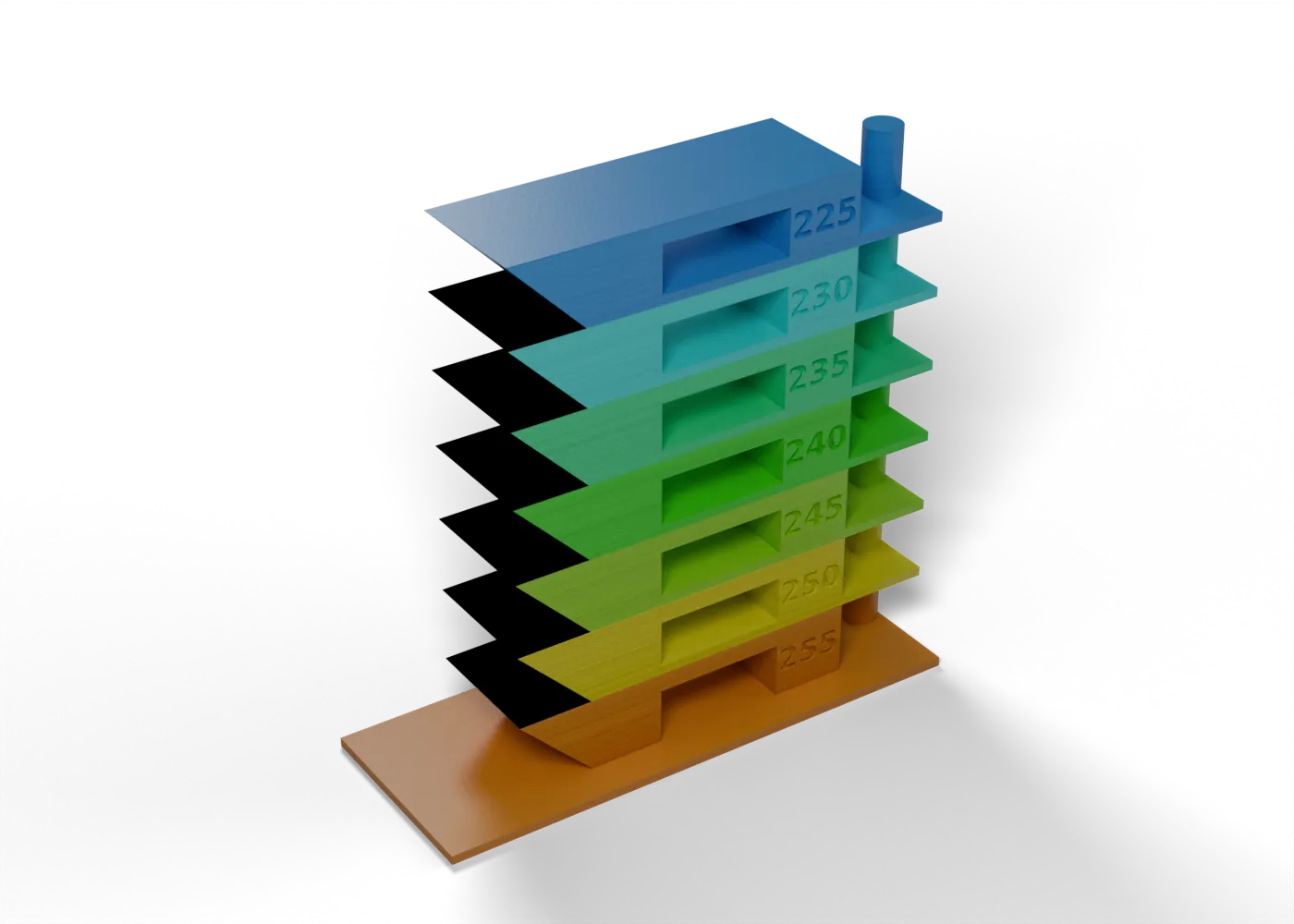
Toolpaths
Every extrusion move in the G-code, layer by layer. Drag the layer slider, scrub through the top layer, or play the print.
Toolpaths load when you open this view.
Read from the G-code that the printer gets. The clock adds each move at its programmed speed, without acceleration or travel, so it is shorter than the slicer's estimate.
Bands
Each band starts with one G-code command on its first layer. The slicing script reads the G-code back and stops if a command is missing or lands at the wrong height.
- 225 °C49–57 mm
M104 S225 - 230 °C41–49 mm
M104 S230 - 235 °C33–41 mm
M104 S235 - 240 °C25–33 mm
M104 S240 - 245 °C17–25 mm
M104 S245 - 250 °C9–17 mm
M104 S250 - 255 °C1–9 mm
M104 S255
Base 0–1 mm at the first band's value
Settings
On top of the stack that the print jobs load. The printer tuning page shows that stack.
| Printer | File | Changes |
|---|---|---|
| Prusa Core One+ | petg-temp (core-one-plus).bgcode | temperature 255first_layer_temperature 255 |
Procedure
What it is for. It sets the PETG temperature for bridges, overhangs and layer bond.
Print. Print it. The bands run from 255 °C at the bottom to 225 °C at the top, and each band has its temperature on the pillar.
Measure. Look at the bridge and the 45° overhang in each band, flex it for layer bond, and check strings on the pin.
Pass. Pick the coolest band with a flat bridge, a clean 45° overhang and good layer bond.
Record. That temperature, and the strings at it.
In the tuning log
- Nozzle temperatureMeasured: Stiffened tower, ELEGOO Rapid PETG (Ryan, 2026-10-18): the tower stayed rigid to the top, the colder bands (235, 230, 225) were acceptable, and 240 °C looked best overall: "I like 240." The profile (petg.ini) is 240 °C, first layer too, in place of Prusa's 250 °C.
Comments
Comment on the whole page here, or on one section or step with the button beside it.